
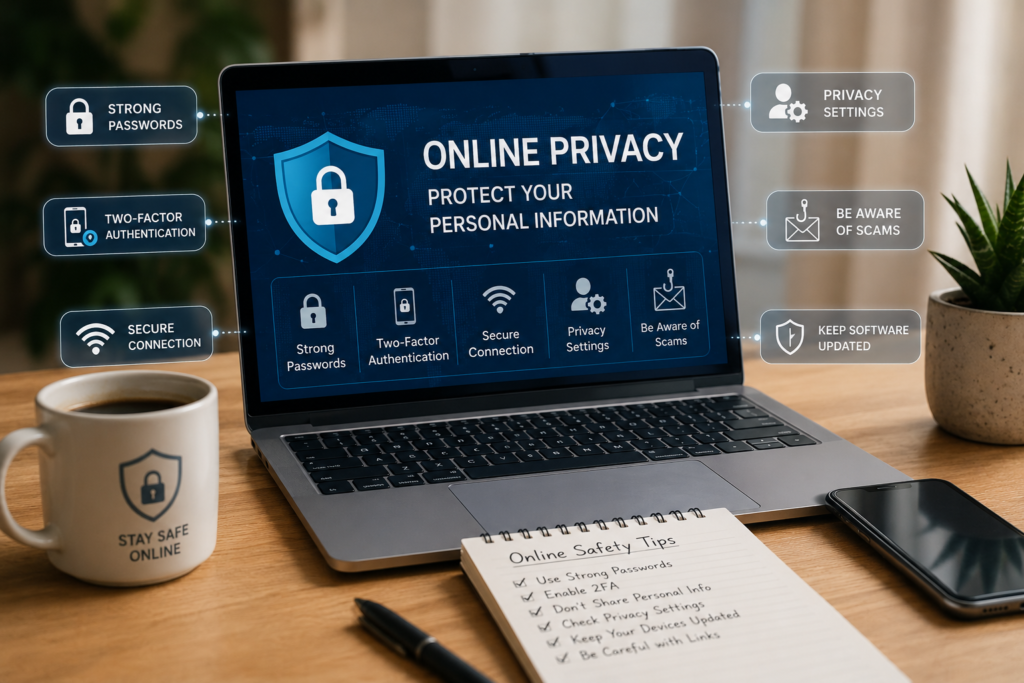
How to Protect Your Personal Information Online: A Beginner’s Guide
The internet has become an important part of everyday life. We use it to communicate with friends, shop online, manage bank accounts, study, and find information. Although these activities make life easier, they also involve sharing personal information online.
Many people believe that online privacy is only a concern for celebrities, businesses, or people who have something to hide. In reality, anyone who uses the internet can benefit from protecting their personal information. A few simple habits can reduce the risk of scams, account theft, and unwanted access to private data.
In this guide, we will look at practical ways beginners can improve their online security without needing advanced technical knowledge.
1. Use Strong and Unique Passwords
Passwords are often the first line of defence for online accounts. Unfortunately, many people use easy passwords such as their name, birthday, or a simple combination of numbers. These passwords can be easier to guess, especially when personal details are publicly available.
A strong password should be difficult to guess and different for each important account. Avoid using the same password for your email, social media, shopping accounts, and banking services.
Remembering dozens of passwords can be difficult. A reputable password manager can help you create and store unique passwords securely. Choose a well-known service, protect it with a strong master password, and enable additional security features where available.
If a website reports that your password may have been exposed in a data breach, change it promptly. If you have reused that password elsewhere, update those accounts too.
2. Turn On Two-Factor Authentication
A strong password is useful, but it may not be enough if someone manages to steal it. Two-factor authentication, often called 2FA, adds another layer of protection to an account.
With this feature enabled, signing in may require a second step, such as an authentication app code, a security key, or another approved verification method.
Start with your main email account because it may be used to reset passwords for many other services. Then enable two-factor authentication on social media, financial accounts, and other important platforms that support it.
An authenticator app or security key can offer stronger protection than SMS in some situations. However, using a reliable second verification method is generally better than relying on a password alone.
Never share verification codes with someone who contacts you unexpectedly, even if they claim to work for a bank, delivery company, or technical support team.
3. Be Careful With Suspicious Emails and Messages
Online scams often rely on urgency. You might receive a message claiming that your account will be closed, a parcel cannot be delivered, or a payment must be confirmed immediately.
These messages may contain links to fake websites designed to collect passwords, card details, or other personal information.
Before clicking a link, check the sender and the website address carefully. Be cautious of spelling mistakes, unusual email addresses, unexpected attachments, and requests for confidential information.
If a message claims to come from a bank or another service you use, open the official app or type the known website address into your browser instead of following the message link.
Remember that a professional-looking logo does not prove a message is genuine. Scammers can copy the appearance of legitimate companies.
4. Review Your Social Media Privacy Settings
Social media makes it easy to share photographs, opinions, locations, and everyday experiences. However, information shared publicly may be viewed, copied, or saved by people you do not know.
Review the privacy settings on your social media accounts. Depending on the platform, you may be able to limit who sees your posts, personal details, friend lists, and contact information.
Think carefully before sharing your home address, phone number, travel plans, identity documents, or other sensitive details. Posting that you are away from home can also reveal information about your routine.
It is worth checking older posts from time to time. You may discover information that you no longer want to make publicly available.
Privacy settings cannot guarantee that every post will remain private, so share only what you would be comfortable with others seeing.
5. Avoid Sensitive Activities on Untrusted Public Wi-Fi
Public Wi-Fi in cafés, airports, hotels, and other shared spaces can be convenient. However, you should not automatically assume that every public network is trustworthy.
Check the network name with the venue before connecting. Avoid networks with suspicious names or unexpected login pages. Keep your device and browser updated, and use websites that support HTTPS.
For sensitive activities, such as accessing financial accounts, using your mobile data connection may be a better choice if you are unsure about the network. A reputable VPN may also help protect network traffic, but it does not make every online activity safe or prevent phishing and malware.
Do not ignore browser security warnings just because a website looks familiar. If a connection warning appears, stop and verify the website before entering any personal information.
6. Keep Your Phone, Computer, and Apps Updated
Software updates do more than add new features. They often fix security weaknesses that attackers could otherwise exploit.
Enable automatic updates for your operating system, browser, and regularly used applications where practical. Remove applications you no longer need, particularly if they have access to your contacts, camera, microphone, or location.
When installing an app, use an official app store or the developer’s verified website. Check the developer name, reviews, requested permissions, and whether the app genuinely needs the access it asks for.
For example, a basic calculator generally has no obvious reason to access your contacts. Unexpected permissions can be a reason to reconsider installing an application.
Updates cannot prevent every security problem, but keeping software current is one of the simplest ways to reduce avoidable risks.
7. Check App Permissions and Browser Settings
Many apps request access to personal information or device features. Some permissions are necessary for an app to work, while others may not be essential.
Open your phone’s privacy or application settings and review permissions for location, contacts, photographs, microphone, and camera. Remove access that an app does not need for its main purpose.
You can also review browser settings, including saved passwords, website permissions, cookies, and location access. Choose settings that balance privacy with the features you actually use.
Be aware that private or incognito browsing mainly prevents certain browsing information from being saved locally after the session. It does not make you completely anonymous to websites, internet service providers, employers, or network administrators.
Understanding what privacy tools can and cannot do helps you make better decisions online.
8. Shop Online Only Through Trustworthy Websites
Online shopping is convenient, but fake stores and misleading offers can put your information at risk.
Before making a purchase, examine the website address, product details, return policy, contact information, and payment options. Be cautious of offers that seem unrealistically cheap or pressure you to pay immediately.
A padlock symbol and HTTPS connection indicate that the connection is encrypted; they do not prove that a seller is honest. You should still check the business and its reputation.
Use secure payment methods that provide suitable protections, and never send your card PIN, banking password, or one-time verification code to a seller through chat or email.
Keep receipts and order confirmations until the purchase is complete. If you notice an unfamiliar transaction, contact your bank or payment provider through its official channel as soon as possible.
9. Back Up Important Files
Online safety also includes protecting your own information against device failure, accidental deletion, ransomware, and theft.
Back up important photographs, documents, and other files to a trusted cloud service or an external storage device. For important data, consider keeping more than one copy and disconnecting an external backup drive when it is not in use.
Check your backups occasionally to make sure the files can actually be restored. A backup that cannot be accessed when needed offers little practical protection.
Protect cloud storage with a unique password and two-factor authentication. Review who has access to shared folders and remove access that is no longer necessary.
10. Make Online Safety a Regular Habit
Protecting personal information is not a task you need to complete perfectly in one day. Small, consistent actions can make a meaningful difference.
Once a month, take a few minutes to review important account settings, check for unfamiliar login activity, remove unused applications, and install pending updates. Review financial transactions regularly and report suspicious activity through official channels.
If you believe an account has been compromised, use the service’s official recovery process. Change the affected password from a trusted device, secure your email account, end unfamiliar active sessions, and enable two-factor authentication if available.
If financial information may have been exposed, contact your bank or payment provider promptly. If identity documents have been misused, follow the relevant official reporting process in your country.
Conclusion
Protecting your personal information online does not require you to be a technology expert. Strong, unique passwords, two-factor authentication, careful browsing, updated software, and sensible privacy settings can help reduce many common risks.
The most important step is to build habits that you can maintain. Start with your email account, review your social media privacy, and become more cautious about unexpected messages and requests for confidential information.
The internet can remain a useful part of everyday life when you understand the risks and take reasonable steps to manage them. A little attention today can help protect your accounts, information, and peace of mind in the future.
Frequently Asked Questions
What is the easiest way to improve online security?
Start by using unique passwords for important accounts, enabling two-factor authentication, and keeping your devices updated.
Is public Wi-Fi always unsafe?
Not necessarily. However, public networks vary in security. Verify the network, use HTTPS websites, and consider mobile data for sensitive activities when you are unsure.
Does incognito mode hide my identity online?
No. It mainly limits what your browser saves on your device after the session. It does not guarantee anonymity from websites or network providers.
How often should I review my privacy settings?
Review important settings every few months and whenever an app, service, or device introduces significant changes.
What should I do if I click a suspicious link?
Do not enter information or download files. If you entered a password, change it using the official website from a trusted device. If you shared financial details, contact your bank or payment provider promptly.
Editorial note: This article is for general educational purposes. Security features and recovery steps vary by device, service, and country.